Practical comparison
Choose the Right Image Workflow Lora AI vs Stable Diffusion
This lora ai vs stable diffusion comparison separates the model adapter from the generation system, then shows how they work together. Use it to choose a practical path for creating consistent, controllable images.
Related comparisons
These nearby guides cover the model formats and alternatives that usually shape the same decision.
The verdict
Lora AI and Stable Diffusion are not direct substitutes. Stable Diffusion is the base image-generation ecosystem, while a LoRA is a compact add-on that changes what the base model can produce.
-
1
Start with the base model
Stable Diffusion supplies the general visual knowledge, sampling process, prompt interpretation, and image-generation pipeline.
-
2
Add a focused adapter
A LoRA can teach a character, product, clothing style, visual identity, or subject without replacing the entire base checkpoint.
-
3
Tune the balance
Adjust the LoRA weight, prompt, sampler, and resolution until the added concept is visible without overpowering composition or anatomy.
Dimension by dimension
The clearest answer depends on whether you mean the generation platform, the base model, or the adapter used inside that platform.
- 1 Stable Diffusion checkpoint provides the general image foundation
- 1 base
- 2 A LoRA can add a focused concept to an existing model
- 1 adapter
- 3 Prompt, model choice, and adapter weight shape the final result
- 3 controls
- 4 Use a hosted workflow for convenience or a local setup for deeper control
- 2 paths
Dimension by dimension
Use this table to distinguish what each term contributes to an image workflow rather than treating them as competing products.
Lora AI
Stable Diffusion
What it is
Lora AI
A low-rank adapter trained to influence a compatible image model.
Stable Diffusion
A family of text-to-image models and the ecosystem built around them.
Primary role
Lora AI
Adds a specific identity, style, subject, or visual behavior.
Stable Diffusion
Generates the image and supplies broad visual knowledge.
Typical size
Lora AI
Usually much smaller than a full checkpoint.
Stable Diffusion
The base checkpoint is substantially larger and holds the main model weights.
Control
Lora AI
Focused control over one learned concept through weight and prompt changes.
Stable Diffusion
Broad control over composition, rendering, prompting, sampling, and model selection.
Training purpose
Lora AI
Efficiently teaches a narrow concept using a relatively small image set.
Stable Diffusion
Creates or fine-tunes a general-purpose generation model.
Workflow dependency
Lora AI
Needs a compatible base model, interface, and trigger wording.
Stable Diffusion
Can generate without a LoRA, though extensions can expand its capabilities.
Best strength
Lora AI
Repeatable character, product, style, or subject behavior.
Stable Diffusion
Flexible image creation across many subjects and visual directions.
Main tradeoff
Lora AI
A poorly trained or incompatible adapter can create artifacts and reduce flexibility.
Stable Diffusion
A plain base model may struggle with a very specific identity or consistent subject.
Who each approach suits
Choose based on the problem you need to solve, not on which term sounds more advanced.
-
A LoRA is not a complete generator
You cannot normally use an adapter by itself. It needs a compatible Stable Diffusion family model and a tool that knows how to load it.
WorkaroundPick the base checkpoint first, then verify the adapter was trained for that model family.
-
Stable Diffusion does not guarantee consistency
A general checkpoint can produce attractive images while changing a character's face, outfit, or product details from one prompt to the next.
WorkaroundUse a focused LoRA, reference controls, seeds, or an image-to-image workflow when repeatability matters.
-
More adapters can reduce reliability
Stacking several LoRAs may create style conflicts, anatomy issues, muddy details, or unexpected prompt interactions.
WorkaroundBegin with one adapter at a moderate weight and add another only when its contribution is clear.
-
Local control has a learning cost
A local Stable Diffusion setup gives you more settings, but model files, memory limits, nodes, and sampler choices can slow down beginners.
WorkaroundStart with a guided online workflow, then move local when you need repeatable settings or private files.
A practical migration path
The easiest migration is incremental: preserve the workflow that already works, then add only the control you actually need.
- Base model only
- Base model plus LoRA
Move from broad exploration to focused control: select a compatible checkpoint, reproduce a strong baseline prompt, add one LoRA, then compare outputs at several weights. Keep the prompt, seed, resolution, and sampler stable while testing so you can tell whether the adapter is helping. If the result becomes too stylized, lower its weight; if the subject disappears, strengthen the trigger wording or use a better-matched adapter. Once the output is reliable, save the combination as a reusable recipe. This path lets a beginner use Stable Diffusion without learning every setting at once, while still leaving room for advanced control later.

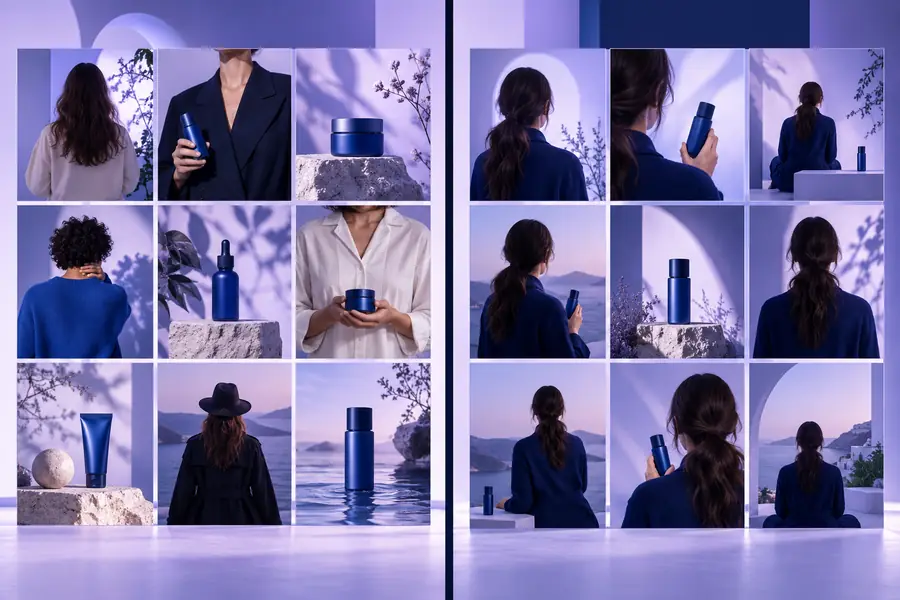
Make the comparison practical
Find your best image-generation starting point
You do not have to choose between a LoRA and Stable Diffusion as if they were rival generators. Start with the base workflow, identify the consistency or style problem you want to solve, and add a focused adapter only when it provides a measurable improvement.
Try the image workflow- Explore a guided generation path
- Test focused concepts without rebuilding everything
- Move from broad prompts to repeatable results
Comparison FAQ
Short answers to the questions people usually ask when comparing these two terms.
No. Stable Diffusion is a base image-generation model family and ecosystem, while a LoRA is a lightweight adapter that modifies a compatible base model. They are often used together rather than chosen as replacements for one another.
Usually not in the ordinary image-generation workflow. A LoRA must be loaded into a compatible model and interface, although that interface may hide the underlying Stable Diffusion components from you.
A LoRA is generally better when the goal is to repeat a specific character, product, or visual identity. Stable Diffusion provides the generation foundation, but the adapter supplies the focused learned features that improve consistency.
No. It improves images only when the adapter matches the base model, prompt, and intended subject. An incompatible or poorly trained LoRA can introduce artifacts, weaken composition, or make the result less flexible.
Beginners should first understand the base generation workflow, then add one LoRA for a clear goal such as a character or style. A guided online tool can reduce setup friction, while a local Stable Diffusion workflow is better when you want detailed control over models and settings.